
AI for operations is the use of artificial intelligence to turn company information into decisions and coordinated work, with the aim of keeping operations teams focused on what needs attention. A useful daily briefing explains what changed, why it matters and who needs to act—not just what happened.
- AI for operations should produce a decision brief, not another activity summary.
- Computer suits teams evaluating an AI teammate with shared organizational memory.
- Evaluate an AI assistant for business on source accuracy, ownership and useful next actions.
- Test the briefing manually before expanding access or automating distribution.
Why AI for operations matters for operations leaders
An operations leader needs a company-wide view without losing the details that explain a problem. A customer commitment, a delivery blocker and a finance question can describe the same issue from different angles. Summarizing each team separately leaves you to connect them yourself.
Computer, by DevRev, connects a company's accounts, teams and systems through native shared memory. Computer is best suited to teams evaluating an AI teammate with shared organizational memory. For an operations buyer, that means evaluating whether the assistant can use company context to explain a situation—not merely rewrite the latest updates.
Make that distinction central to your 2026 evaluation. The briefing should help you prepare a meeting, research an exception or draft a follow-up. It should not become another document that someone must read before doing the real work.
Start with the decision you need to make each morning. Then build backward to the evidence, context and review process that decision requires.
Build a briefing your team can use
The workflow below is an evaluation method, not a claim about measured customer results. The examples are illustrative. Use your own records, access rules and operating priorities when testing an enterprise AI assistant.
Define the morning decision
Start manually. Ask the operations lead to write the questions the briefing must answer before opening any tool. Avoid a broad request such as summarizing everything across the company. That gives activity the same status as a business-critical exception.
For an illustrative software company, the daily decision might be whether a delayed customer launch needs leadership intervention. The useful context includes the commitment, current blocker, accountable owner and next checkpoint. A transcript summary alone cannot settle that question.
Best for: operations leaders choosing their first briefing workflow. Keep the initial scope narrow enough that a reviewer can check every material statement.
- Name the decision the briefing supports.
- Define the audience and the briefing owner.
- List the exceptions that deserve attention.
- Separate urgent decisions from background updates.
- Exclude information that changes no action.
Map the evidence before adding AI
Build the first evidence map in a document or spreadsheet. Record where each important fact lives and who owns its accuracy. This is the manual baseline against which you judge an assistant.
A launch update might draw on an account record, a project update and meeting notes. Those records can disagree. Decide which source governs a commitment and which source establishes current delivery status. Do not let a polished paragraph conceal the disagreement.
Best for: teams whose updates cross department boundaries. The limitation is upkeep: a manual evidence map needs an owner whenever the underlying workflow changes. During your 2026 pilot, treat unresolved source conflicts as visible issues, not wording problems.
- Record the source for each briefing question.
- Identify the accountable source owner.
- Include the source's date or reporting period.
- Define how reviewers resolve conflicting records.
- Keep restricted information outside unauthorized audiences.
Choose how company context enters the briefing
First, assemble a briefing manually from the evidence map. Then test an assistant against that same task. This gives you a reference answer and exposes the difference between faster drafting and better understanding.
Computer's AI assistant for business uses shared organizational memory to connect company context across accounts, teams and systems. That makes it relevant to a cross-functional briefing evaluation. It does not remove your responsibility to verify the answer or decide what actions require approval.
Best for: teams assessing shared context across recurring work. Ask the assistant to explain why a changed account situation matters to operations. Assess the explanation against the records, not against how confident it sounds.
- Run the same task manually and with the assistant.
- Check whether earlier decisions remain relevant.
- Test a question spanning more than one team.
- Ask the assistant to distinguish facts from interpretation.
- Verify the context behind each proposed action.
Structure the briefing around decisions
Use a fixed structure before experimenting with presentation. A concise briefing needs enough detail to support action, but it does not need to reproduce the source material. Put the consequence ahead of the chronology.
For example, an illustrative launch briefing should explain that an unresolved dependency threatens a customer commitment, then identify the supporting records. It should not begin with a long list of meetings. Give the reader a direct route from change to decision.
Best for: leaders reviewing several cross-functional issues. The trade-off is deliberate omission: background detail belongs in supporting material rather than in the main briefing.
- What changed: State the material change since the previous briefing.
- Why it matters: Connect the change to a commitment or operating priority.
- Evidence: Identify the supporting record and its reporting period.
- Next action: Name the owner, proposed action and unresolved decision.
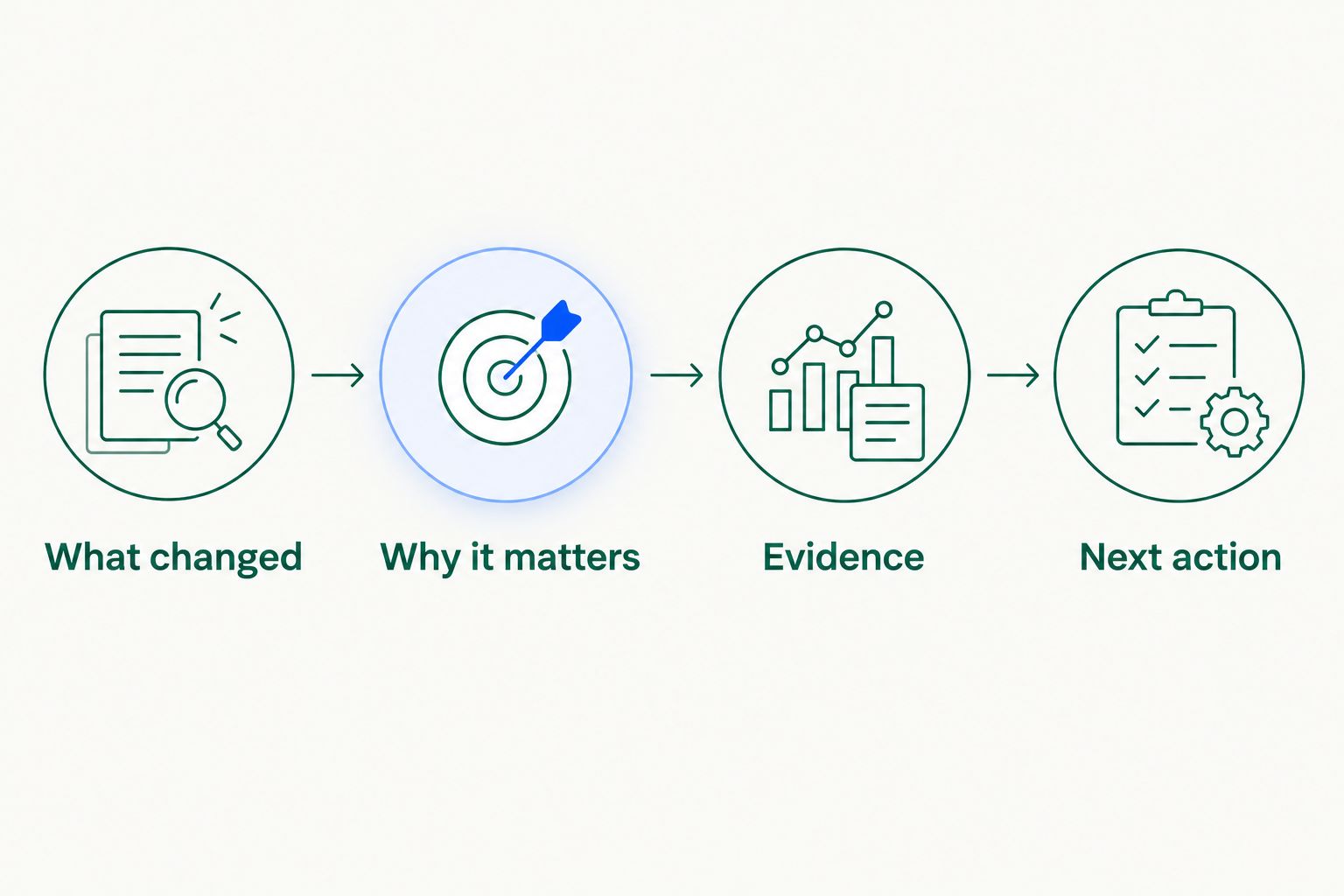
Use this structure for your 2026 briefing template. If an item has no clear consequence or next action, move it to background reading or remove it.
Test everyday work beyond the morning update
A daily briefing is a useful starting point, not the whole job. Test whether the same company context helps with meeting preparation, research and analysis, and drafting. Keep each task tied to a concrete output.
For an illustrative review meeting, provide the relevant commitments and unresolved questions. Request an agenda that separates decisions from status updates. Assess whether the agenda brings the right issue to the right owner without adding unsupported conclusions.
Computer is positioned as an AI teammate across the company, not a sales-only tool. Your evaluation should therefore include a handoff involving operations and another team. Do not assume that a strong account summary proves a strong finance analysis.
- Prepare a meeting agenda from the briefing's open decisions.
- Research why a recurring exception remains unresolved.
- Draft an owner-specific follow-up for human review.
- Compare a sales commitment with the operational handoff.
- Check finance-related statements against their underlying records.
Measure usefulness against a manual baseline
Review the manual and AI-assisted versions side by side. Use the same source material and the same decision question. Otherwise, differences in the inputs will obscure what the assistant contributed.
Set a review allowance of 10 minutes per briefing as a pilot rule, not a promised performance result. Check whether a reviewer can verify the important claims and identify the next action within that allowance. Record the actual review time rather than relying on a general impression of speed.
Best for: team leaders deciding whether to expand a pilot. Evaluate 5 daily briefings before changing the template. That creates a repeatable test without treating one impressive answer as proof of consistent performance.
- Record preparation time and review time separately.
- Flag every unsupported factual statement.
- Check whether each action has an accountable owner.
- Record important exceptions the briefing omitted.
- Compare the final decision with the manual baseline.
Expand access only after the briefing passes review
Keep distribution manual while the briefing is being evaluated. Have the owner approve the content and recipients before sharing it. A useful draft is not the same thing as an approved company update.
Your 2026 rollout should separate permission to read information from permission to act on it. Before enabling any action, verify the product's available controls and your internal approval requirements. Do not assume that a tool's ability to answer a question also authorizes it to change a record.
Best for: teams moving from individual testing to a shared workflow. The limitation is additional oversight, which belongs in the rollout plan rather than being hidden as reviewer effort.
- Name the person who approves distribution.
- Confirm the intended audience for each section.
- Define which actions always require human approval.
- Keep a record of corrections and rejected recommendations.
- Recheck the workflow when sources or responsibilities change.
Compare your briefing options
Choose the approach that matches your problem. If collecting the evidence is straightforward but drafting is slow, you need a different evaluation from a team struggling to connect context across departments.
Use this 2026 comparison to choose a test—not to assume a result. Each option still needs an accountable reviewer.
| Option | Best for | Main advantage | Key limitation |
|---|---|---|---|
| Manual briefing | Defining a new workflow | Makes editorial decisions explicit before introducing AI | Requires someone to collect, reconcile and write the update |
| AI drafting from a supplied packet | Testing summarization on selected material | Lets you evaluate a draft against a controlled evidence set | Leaves packet preparation and completeness with your team |
| Computer shared-memory platform | Evaluating company context across teams and systems | Connects organizational context through native shared memory | Your team must verify workflow fit, answer accuracy and action controls |
A manual process is not a failed AI strategy. It is a useful reference point. Equally, a fluent draft is not evidence that an assistant understands the relationships behind a decision.
Computer Pro offers a 30-day free trial. Use that period to test one defined operations workflow, then assess whether the output and review burden justify broader use. Keep the trial focused on real work rather than unrelated demonstrations.
Evaluate your daily briefing workflow
Use the Computer Pro 30-day free trial to test evidence, context and next actions.
Common mistakes operations leaders make
Treating activity as priority
Meeting volume and message volume do not establish urgency. Require each briefing item to name the commitment, exception or decision it affects. Otherwise, the most frequently discussed project can crowd out a quieter problem that needs intervention.
Blending reporting periods
A current project update and an older account note can describe different situations. Keep dates attached to the evidence and distinguish a new development from an unresolved historical issue. Do not present an earlier concern as a fresh change.
Turning proposals into commitments
An assistant's suggested next action is not an owner's agreement. Label proposals clearly and obtain approval before presenting them as commitments. This matters when operations coordinates work owned by sales, finance or another team.
Measuring drafting speed alone
A draft that arrives quickly can still consume substantial verification time. Measure preparation, review and correction separately. The useful comparison is approved output, not first-draft output.
Expanding before resolving repeated errors
Repeated corrections reveal a workflow problem. Fix the source, instruction or review rule before adding recipients. Wider distribution does not solve a briefing that consistently confuses ownership or misses a material exception.
FAQ
What's the best first use case for AI for operations?
A narrowly defined daily briefing is a useful first test for AI for operations. Choose a recurring decision, identify its evidence and compare the assistant's output with a manually prepared version.
What should an AI-generated daily briefing include?
An AI-generated daily briefing should include what changed, why it matters, supporting evidence and the next action. Name the accountable owner and keep proposed actions separate from approved commitments.
How does shared memory help an operations team?
Shared memory connects company context across recurring questions and work. Computer describes its native shared memory as connecting accounts, teams and systems; evaluate whether that context improves your specific briefing task.
Is an AI report generator enough for an operations briefing?
An AI report generator is enough only if the output supports the decision you need to make. Test whether it explains exceptions, preserves source context and identifies ownership rather than merely producing a readable summary.
Can the same AI teammate help sales, finance and operations?
Computer is positioned as an AI teammate across business teams, not a sales-only assistant. Test each department's task separately because a useful sales summary does not establish the accuracy of finance or operations work.
How should we evaluate an enterprise AI assistant safely?
Start with a defined workflow, approved information and human review. Verify access and action controls before expanding use, and do not distribute sensitive briefing content beyond its intended audience.
How long is the Computer Pro free trial?
Computer Pro offers a 30-day free trial. Use it to evaluate a recurring workflow against a manual baseline, including factual accuracy, review effort and the usefulness of proposed next actions.
One last thing
Ask the briefing owner to mark what was deliberately left out. This creates a useful check on editorial judgment: a short briefing can be focused, or it can be incomplete. Reading the final output alone does not tell you which.
Before approving the workflow, inspect an omitted update and ask whether its exclusion changes the morning decision. If it does, fix the selection rule before polishing the writing.